 Written by
 Creating flash photo gallery
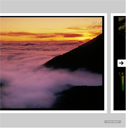
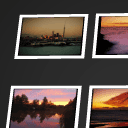
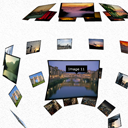
Today I will tell you how to create very nice photo album using one small flash gallery. This have very easy way to see photos, just check its demo. Hope that you will like this too.
One of important features of this gallery is that it can accept custom set of images via php-generated XML file. So just imagine, that in your script (or maybe some CMS), you will able to generate different galleries based on different params. As example photo galleries of members of your website.
Here are samples and downloadable package:
Live Demo
download in package
Ok, download the example files and lets start coding !
Step 1. HTML
As usual, we will start with the HTML. This is source code of our sample:
index.html
<link rel="stylesheet" href="css/main.css" type="text/css" />

<div class="example">
    <h3><a href="#">Flash gallery viewer sample</a></h3>

    <object classid="clsid:D27CDB6E-AE6D-11cf-96B8-444553540000" codebase="http://download.macromedia.com/pub/shockwave/cabs/flash/swflash.cab#version=6,0,40,0" width="100%" height="100%" align="middle" quality="high" scale="noscale">
        <param name="MENU" value="FALSE" />
        <param name="wmode" value="transparent" />
        <param name="SRC" value="app/gallery.swf" />
        <param name="flashvars" value="xmlDataPath=feed.php" />
        <embed src="app/gallery.swf" flashvars="xmlDataPath=feed.php" wmode="transparent" menu="false" pluginspage="http://www.macromedia.com/shockwave/download/index.cgi?P1_Prod_Version=ShockwaveFlash" width="100%" height="100%" align="middle" quality="high" scale="noscale"></embed>
    </object>
</div>
Initialization is very easy – through pure flash embed code, where you can set necessary params – xml data path and wmode mode.
Step 2. CSS
Here are used CSS file for our demo:
css/main.css
body{background:#eee;font-family:Verdana, Helvetica, Arial, sans-serif;margin:0;padding:0}
.example{background:#FFF;width:900px;height:800px;font-size:80%;border:1px #000 solid;margin:0.5em 10% 0.5em;padding:1em 2em 2em;-moz-border-radius: 3px;-webkit-border-radius: 3px}
Step 3. PHP
Here are code of our XML generator (to generate xml-based set of using images):
feed.php
<?

$sCode = '';

$sTemplate = <<<XML
<img src="{fileurl}" width="{width}" height="{height}" />
XML;

$aUnits = array('pic1.jpg', 'pic2.jpg', 'pic3.jpg', 'pic4.jpg', 'pic5.jpg', 'pic6.jpg', 'pic7.jpg', 'pic8.jpg');
foreach ($aUnits as $sFilename) {
    list($width, $height, $type, $attr) = getimagesize('data_images/'.$sFilename);
    $sCode .= strtr($sTemplate, array('{fileurl}' => 'data_images/'.$sFilename, '{width}' => $width, '{height}' => $height));
}

header ('Content-Type: application/xml; charset=UTF-8');
echo <<<EOF
<?xml version="1.0" ?>
{$sCode}
EOF;

?>
As you can see – I just generate easy XML feed using special template. You can do this with your images and using different paths to images too.
Step 4. SWF application
app/gallery.swf
This is main flash application. Available as a download package.
Step 5. Images
All custom images located inside ‘data_images’ folder. This can be any other your folder of course. Just don`t forget to correct feed.php in this case too.
Live Demo
download in package
Conclusion
Today I told you how to build nice flash gallery. Sure that you will happy to use it in your projects. Good luck!
I am web developer with huge experience (in web languages and even in system languages). Also I am the founder of current website (and several another). I like to write blogs about web development/design. Feel free to Follow us on Twitter: tweetmeme_screen_name='AramisGC'; |
If you Enjoyed our article don't forget to Share the love with your friends.
|



Very interresting gallery-but i have a question- why this gallery don’t want to work local?
After dowloading package – i’ve opened it and load index.html-but didn’t saw the gallery!?
Hello Helen,
Make sure that you open it under localhost and not with absolute path. All just because we have one PHP file here.