
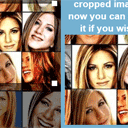
HTML5 image crop tool
I have prepared new great HTML5 tool for you (with tutorial). I have made ‘Crop tool’ in html5 (canvas). Now we can crop images at client side too. Now we don`t need to send data (with crop coordinates) back to server as we did in our previous article: ‘Image Crop Plugin – using Jcrop’.
Here are our demo and downloadable package:
Live Demo
Ok, download the source files and lets start coding !
Step 1. HTML
Small code with canvas element and blank image (for future cropped image)
index.html
<!DOCTYPE html>
<html lang="en" >
    <head>
        <meta charset="utf-8" />
        <title>HTML5 image crop tool | Script Tutorials</title>
        <link href="css/main.css" rel="stylesheet" type="text/css" />
        <script src="http://code.jquery.com/jquery-latest.min.js"></script>
        <script src="js/script.js"></script>
    </head>
    <body>
        <header>
            <h2>HTML5 image crop tool</h2>
            <a href="http://script-tutorials.com/html5-image-crop-tool/" class="stuts">Back to original tutorial on <span>Script Tutorials</span></a>
        </header>
        <div class="container">
            <div class="contr">
                <button onclick="getResults()">Crop</button>
            </div>
            <canvas id="panel" width="779" height="519"></canvas>
            <div id="results">
                <h2>Please make selection for cropping and click 'Crop' button.</h2>
                <img id="crop_result" />
            </div>
        </div>
    </body>
</html>
Step 2. CSS
css/main.css
We are going to skip of publishing styles today again (no need).
Step 3. HTML5 JS
js/script.js
// variables
var canvas, ctx;
var image;
var iMouseX, iMouseY = 1;
var theSelection;

// define Selection constructor
function Selection(x, y, w, h){
    this.x = x; // initial positions
    this.y = y;
    this.w = w; // and size
    this.h = h;

    this.px = x; // extra variables to dragging calculations
    this.py = y;

    this.csize = 6; // resize cubes size
    this.csizeh = 10; // resize cubes size (on hover)

    this.bHow = [false, false, false, false]; // hover statuses
    this.iCSize = [this.csize, this.csize, this.csize, this.csize]; // resize cubes sizes
    this.bDrag = [false, false, false, false]; // drag statuses
    this.bDragAll = false; // drag whole selection
}

// define Selection draw method
Selection.prototype.draw = function(){

    ctx.strokeStyle = '#000';
    ctx.lineWidth = 2;
    ctx.strokeRect(this.x, this.y, this.w, this.h);

    // draw part of original image
    if (this.w > 0 && this.h > 0) {
        ctx.drawImage(image, this.x, this.y, this.w, this.h, this.x, this.y, this.w, this.h);
    }

    // draw resize cubes
    ctx.fillStyle = '#fff';
    ctx.fillRect(this.x - this.iCSize[0], this.y - this.iCSize[0], this.iCSize[0] * 2, this.iCSize[0] * 2);
    ctx.fillRect(this.x + this.w - this.iCSize[1], this.y - this.iCSize[1], this.iCSize[1] * 2, this.iCSize[1] * 2);
    ctx.fillRect(this.x + this.w - this.iCSize[2], this.y + this.h - this.iCSize[2], this.iCSize[2] * 2, this.iCSize[2] * 2);
    ctx.fillRect(this.x - this.iCSize[3], this.y + this.h - this.iCSize[3], this.iCSize[3] * 2, this.iCSize[3] * 2);
}

function drawScene() { // main drawScene function
    ctx.clearRect(0, 0, ctx.canvas.width, ctx.canvas.height); // clear canvas

    // draw source image
    ctx.drawImage(image, 0, 0, ctx.canvas.width, ctx.canvas.height);

    // and make it darker
    ctx.fillStyle = 'rgba(0, 0, 0, 0.5)';
    ctx.fillRect(0, 0, ctx.canvas.width, ctx.canvas.height);

    // draw selection
    theSelection.draw();
}

$(function(){
    // loading source image
    image = new Image();
    image.onload = function () {
    }
    image.src = 'images/image.jpg';

    // creating canvas and context objects
    canvas = document.getElementById('panel');
    ctx = canvas.getContext('2d');

    // create initial selection
    theSelection = new Selection(200, 200, 200, 200);

    $('#panel').mousemove(function(e) { // binding mouse move event
        var canvasOffset = $(canvas).offset();
        iMouseX = Math.floor(e.pageX - canvasOffset.left);
        iMouseY = Math.floor(e.pageY - canvasOffset.top);

        // in case of drag of whole selector
        if (theSelection.bDragAll) {
            theSelection.x = iMouseX - theSelection.px;
            theSelection.y = iMouseY - theSelection.py;
        }

        for (i = 0; i < 4; i++) {
            theSelection.bHow[i] = false;
            theSelection.iCSize[i] = theSelection.csize;
        }

        // hovering over resize cubes
        if (iMouseX > theSelection.x - theSelection.csizeh && iMouseX < theSelection.x + theSelection.csizeh &&
            iMouseY > theSelection.y - theSelection.csizeh && iMouseY < theSelection.y + theSelection.csizeh) {

            theSelection.bHow[0] = true;
            theSelection.iCSize[0] = theSelection.csizeh;
        }
        if (iMouseX > theSelection.x + theSelection.w-theSelection.csizeh && iMouseX < theSelection.x + theSelection.w + theSelection.csizeh &&
            iMouseY > theSelection.y - theSelection.csizeh && iMouseY < theSelection.y + theSelection.csizeh) {

            theSelection.bHow[1] = true;
            theSelection.iCSize[1] = theSelection.csizeh;
        }
        if (iMouseX > theSelection.x + theSelection.w-theSelection.csizeh && iMouseX < theSelection.x + theSelection.w + theSelection.csizeh &&
            iMouseY > theSelection.y + theSelection.h-theSelection.csizeh && iMouseY < theSelection.y + theSelection.h + theSelection.csizeh) {

            theSelection.bHow[2] = true;
            theSelection.iCSize[2] = theSelection.csizeh;
        }
        if (iMouseX > theSelection.x - theSelection.csizeh && iMouseX < theSelection.x + theSelection.csizeh &&
            iMouseY > theSelection.y + theSelection.h-theSelection.csizeh && iMouseY < theSelection.y + theSelection.h + theSelection.csizeh) {

            theSelection.bHow[3] = true;
            theSelection.iCSize[3] = theSelection.csizeh;
        }

        // in case of dragging of resize cubes
        var iFW, iFH;
        if (theSelection.bDrag[0]) {
            var iFX = iMouseX - theSelection.px;
            var iFY = iMouseY - theSelection.py;
            iFW = theSelection.w + theSelection.x - iFX;
            iFH = theSelection.h + theSelection.y - iFY;
        }
        if (theSelection.bDrag[1]) {
            var iFX = theSelection.x;
            var iFY = iMouseY - theSelection.py;
            iFW = iMouseX - theSelection.px - iFX;
            iFH = theSelection.h + theSelection.y - iFY;
        }
        if (theSelection.bDrag[2]) {
            var iFX = theSelection.x;
            var iFY = theSelection.y;
            iFW = iMouseX - theSelection.px - iFX;
            iFH = iMouseY - theSelection.py - iFY;
        }
        if (theSelection.bDrag[3]) {
            var iFX = iMouseX - theSelection.px;
            var iFY = theSelection.y;
            iFW = theSelection.w + theSelection.x - iFX;
            iFH = iMouseY - theSelection.py - iFY;
        }

        if (iFW > theSelection.csizeh * 2 && iFH > theSelection.csizeh * 2) {
            theSelection.w = iFW;
            theSelection.h = iFH;

            theSelection.x = iFX;
            theSelection.y = iFY;
        }

        drawScene();
    });

    $('#panel').mousedown(function(e) { // binding mousedown event
        var canvasOffset = $(canvas).offset();
        iMouseX = Math.floor(e.pageX - canvasOffset.left);
        iMouseY = Math.floor(e.pageY - canvasOffset.top);

        theSelection.px = iMouseX - theSelection.x;
        theSelection.py = iMouseY - theSelection.y;

        if (theSelection.bHow[0]) {
            theSelection.px = iMouseX - theSelection.x;
            theSelection.py = iMouseY - theSelection.y;
        }
        if (theSelection.bHow[1]) {
            theSelection.px = iMouseX - theSelection.x - theSelection.w;
            theSelection.py = iMouseY - theSelection.y;
        }
        if (theSelection.bHow[2]) {
            theSelection.px = iMouseX - theSelection.x - theSelection.w;
            theSelection.py = iMouseY - theSelection.y - theSelection.h;
        }
        if (theSelection.bHow[3]) {
            theSelection.px = iMouseX - theSelection.x;
            theSelection.py = iMouseY - theSelection.y - theSelection.h;
        }


        if (iMouseX > theSelection.x + theSelection.csizeh && iMouseX < theSelection.x+theSelection.w - theSelection.csizeh &&
            iMouseY > theSelection.y + theSelection.csizeh && iMouseY < theSelection.y+theSelection.h - theSelection.csizeh) {

            theSelection.bDragAll = true;
        }

        for (i = 0; i < 4; i++) {
            if (theSelection.bHow[i]) {
                theSelection.bDrag[i] = true;
            }
        }
    });

    $('#panel').mouseup(function(e) { // binding mouseup event
        theSelection.bDragAll = false;

        for (i = 0; i < 4; i++) {
            theSelection.bDrag[i] = false;
        }
        theSelection.px = 0;
        theSelection.py = 0;
    });

    drawScene();
});

function getResults() {
    var temp_ctx, temp_canvas;
    temp_canvas = document.createElement('canvas');
    temp_ctx = temp_canvas.getContext('2d');
    temp_canvas.width = theSelection.w;
    temp_canvas.height = theSelection.h;
    temp_ctx.drawImage(image, theSelection.x, theSelection.y, theSelection.w, theSelection.h, 0, 0, theSelection.w, theSelection.h);
    var vData = temp_canvas.toDataURL();
    $('#crop_result').attr('src', vData);
    $('#results h2').text('Well done, we have prepared our cropped image, now you can save it if you wish');
}
Most of code is already commented. So I will hope that you will understand all this code. If not – you always can ask me any questions.
Live Demo
Conclusion
Welcome back to read something new and interesting about HTML5. Good luck in your projects.


very usefull.thanks admin
Thank you so need it for
This is great. Thanks! I am trying to add a resize function to this and I’m not able to get it working
I tried:
var currentScale = 1;
var minScale = .2
var maxScale =3 ;
var scaleIncrement = .1
document.onkeydown = function(e){
e = e?e:window.event;
console.log(e.keyCode + “down”);
switch (e.keyCode){
case 109:
//-
currentScale-=scaleIncrement;
if (currentScalemaxScale){
currentScale = maxScale;
}
}
ctx.scale(currentScale, currentScale)
}
It does resize the image but its layering it overtop the original and then I can’t select the crop tool. Essentially I would like to be able to resize and then crop. Please would you mind showing me what I’m doing wrong?
Thanks
Hello Drew,
As the first, please add ; at the end of each line. And, if you have any online version of your work, I can try to work (in order to understand what are you trying to achieve). It will be more easy for me to understand it and to give you advice.
ok well last post but as you are moderating this I am reposting because it doesn’t seem to be taking my full function… but I would assume you get the idea….sorry again for multiple posts..
I used to be very happy to search out this web-site.I needed to thanks in your time for this glorious read!! I undoubtedly having fun with each little bit of it and I’ve you bookmarked to take a look at new stuff you blog post.
Thank you for your code work! This is great.
I want to use this to make a server-side WYSIWYG blog posting interface.
1 question. How should I go about saving the cropped image to my server?
Hi Jake,
You can:
a) get the crop image code via $(‘#crop_result’).attr(‘src’); or temp_canvas.toDataURL();
b) sent it to the server (using jQuery.post for example)
c) save it as image in a certain folder
How can I fix the cropping box to have an aspect ratio like in Jcrop? For example, if i want a height to width ratio of 1:3?
Hi Mladen,
In the beginning, you should understand what is the aspect ration. Basically, this is when we can change only one of coordinates (for instance: X). The second coordinate should be calculated, depending on your aspect ratio.
Thus, you will need to modify only one event handler function: mousemove, but, there could be a lot of changes.
Any similar solution works in iphone/ipad?
This sample doesn’t work
Ty!
Hi Mariano,
Yes, you don’t have the mouse on iphone/ipad, instead, you have only the touch surface. Thus, you will need to add two new event handlers : on touch down and on touch move (in the similar was as mousedown / mousemove)
What would be the best way to maintain the same dimensions of the crop area as you resize?
Hi Nick,
It always does it, just remove the height param from #results img
Hi Andrey,
I am using this plugin for Image cropping function in my project.And now I want to crop Images via all smartphones(iphone/android).I also add two new event handler in the scripts for touch down and touch move.These detect the touch in phone but crop tool not moving in the canvas.
So please advice what to do for this??
Thanks.
Hi Biplab,
I haven’t tried it at all smartphones, but as I know – they support html5.
Hi Andrey,
Any way to make it touch friendly? I already tried adding touchstart, touchmove and touchend withouth success.
Hi Juan,
I haven’t tried it yet to make it touch friendly. Does it work anyhow at phone? Or it doesn’t do anything at all?
Hello,
Thanks for this useful tutorial. However, how can I make this work with sencha touch 2? I working on a mobile app that uses sencha touch 2 and would like to include your script to crop captured images.
Looking forward to your feedback
would be nice to see this as a fiddle or plunker
Thanks for the idea, Harry, done:
http://fiddle.jshell.net/LUMKA/
How can be used on large images with bootstrap ? if I put an image larger in canvas then the width of canvas the croper tool is not working.
Hi Marcel, try to expand the canvas if you use bigger images (you can do it in runtime as well)